赛博暴露-苹果手机状态-workerKV
通过自动化和快捷指令,可以把手机状态发布到外部,我把数据保存到 cloudflare 的 worker KV 中,可以尽最大程度实现稳定运转
Worker 可以提供每天 1k 次的写入和 100k 的读取,对于我的读写频率绰绰有余了
如果想发消息给苹果手机,也有免费的 app,叫
Berk,往指定 url 发送GET/POST请求,它就通过苹果的消息推送到你的苹果手机
KV 每次都会覆盖,我还把每次数据存到 D1 数据库中,这个也是免费 10G 存储空间的,后续可以批量分析,读取和写入 100k 一个月,KV 顶不读了,还能降级靠这个
快捷指令和自动化
快捷指令共享代码 https://www.icloud.com/shortcuts/f96fc0b7efbd49aa86572fbf1511cded
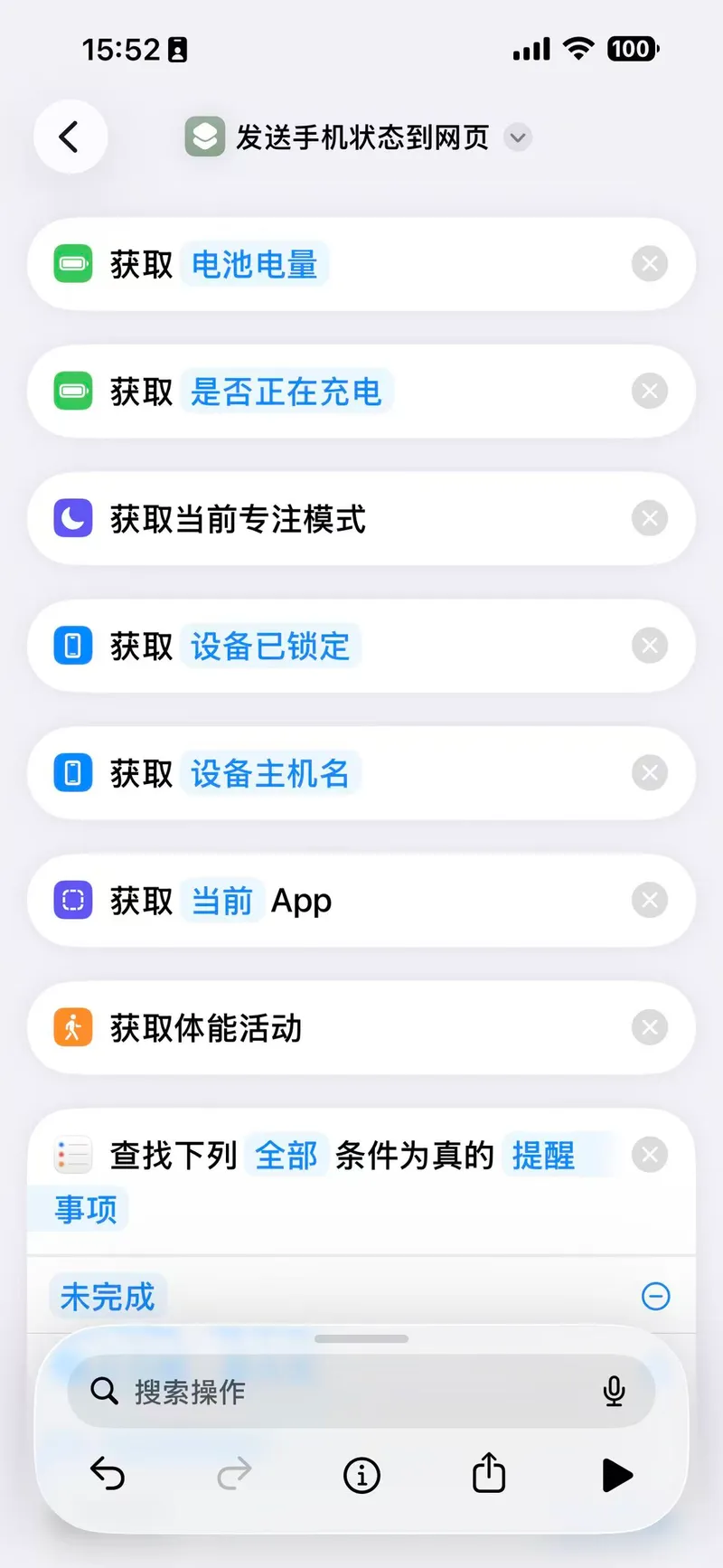
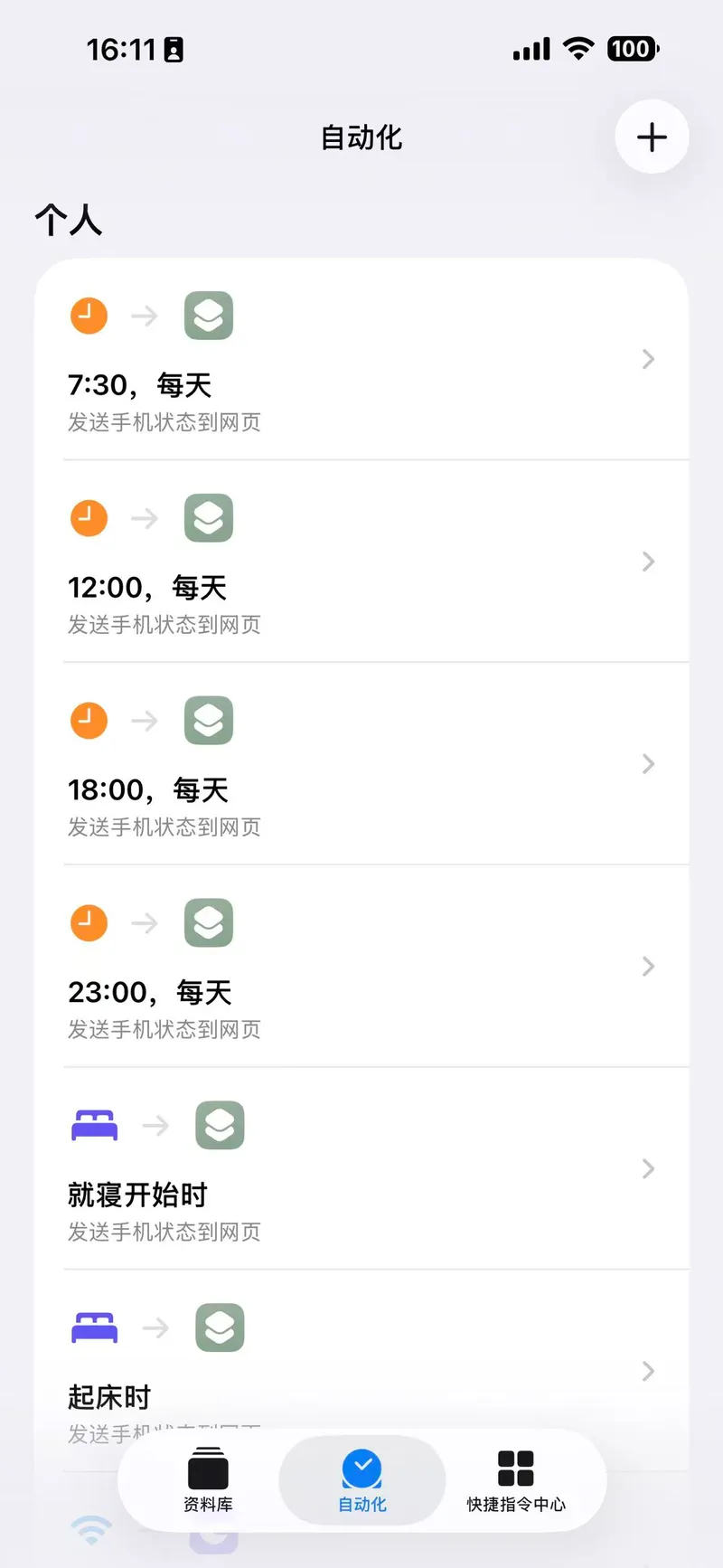
Worker 代码
export default {
  async fetch(request, env) {
    const SAFE_SECRET = env.API_SECRET || '你的专属密钥_在这里替换'
    const url = new URL(request.url)
    const key = url.searchParams.get('key') || 'current_status'

    // --- 处理写入逻辑 (POST) ---
    if (request.method === 'POST') {
      const auth = request.headers.get('Authorization')

      if (auth !== `Bearer ${SAFE_SECRET}`) {
        return new Response('Unauthorized: 密码错误', { status: 401 })
      }

      try {
        const body = await request.json() // 直接解析为 JSON 对象

        // 1. 解析内部嵌套的 data 字符串
        const innerData = JSON.parse(body.data)

        // 2. 时间处理:转换为 UTC 标准格式
        const utcTime = new Date(body.time).toISOString()

        // 3. 并行执行 KV 和 D1 写入,提高效率
        await Promise.all([
          // 写入 KV (保持原样,20小时过期)
          env.STATUS_KV.put(key, JSON.stringify(body), {
            expirationTtl: 72000,
          }),

          // 写入 D1 (结构化存储历史记录)
          // 注意:D1_STATUS 是你在 wrangler.toml 或后台绑定的名称
          env.D1_STATUS.prepare(
            `INSERT INTO phone_status
            (current_app , device_name ,battery, focus, is_charging, is_locked, fit, timestamp)
            VALUES (?, ?,?, ?, ?, ?, ?, ?)`,
          )
            .bind(
              innerData.currentApp,
              innerData.deviceName,
              innerData.battery,
              innerData.focus,
              innerData.isCharging ? 1 : 0, // 布尔转整数
              innerData.isLocked ? 1 : 0, // 处理新的 lock 字段
              innerData.fit,
              utcTime, // 存入 UTC 时间
            )
            .run(),
        ])

        return new Response(JSON.stringify({ code: '0', message: 'success' }), {
          headers: { 'Content-Type': 'application/json' },
        })
      } catch (err) {
        return new Response(
          JSON.stringify({ error: '写入失败', detail: err.message }),
          {
            status: 500,
            headers: { 'Content-Type': 'application/json' },
          },
        )
      }
    }

    if (request.method === 'GET') {
      const raw = await env.STATUS_KV.get(key)
      if (!raw) {
        return new Response(JSON.stringify({ error: 'No data found' }), {
          status: 404,
          headers: {
            'Content-Type': 'application/json',
            'Access-Control-Allow-Origin': '*',
          },
        })
      }

      // 尝试展开嵌套的 JSON 字符串
      try {
        const obj = JSON.parse(raw)
        if (typeof obj.data === 'string') {
          const inner = JSON.parse(obj.data)
          // 展开 remList / calList 等 \n 分隔字段
          for (const k of ['remList', 'calList']) {
            if (typeof inner[k] === 'string') {
              inner[k] = inner[k]
                .trim()
                .split('\n')
                .filter(Boolean)
                .map((l) => JSON.parse(l))
            }
          }
          obj.data = inner // data 直接是对象,不再是字符串
        }
        return new Response(JSON.stringify(obj), {
          headers: {
            'Content-Type': 'application/json; charset=utf-8',
            'Access-Control-Allow-Origin': '*',
          },
        })
      } catch {
        // 解析失败就原样返回
        return new Response(raw, {
          headers: {
            'Content-Type': 'application/json; charset=utf-8',
            'Access-Control-Allow-Origin': '*',
          },
        })
      }
    }
  },
}赛博暴露-苹果手机状态-workerKV
转载或引用本文时请遵守许可协议,注明出处、不得用于商业用途!